Build a clean call list of prospective restaurant & bar clients from public license and corporate records, classify every lead, then work and track each one through to an appointment.
| Date | Type | Result |
|---|---|---|
| 04/22/2026 | Routine | Met standards |
| 10/03/2025 | Routine | Met standards |
| 03/18/2025 | Follow-up | Met standards |
The Lead Builder builds the list → the Restaurant Call List is where you work it → the Call Sheet is where you work each lead. Everything is saved to a database so lists and call activity persist and can be reported on.
Pick counties and license categories, choose how much contact detail to gather, and press Build call list. Behind that one button it assembles the establishments, resolves each owning company and its officers, adds phone & website, and classifies every lead — then saves the list to your library.
Read the Lead Builder guide →The clean, filterable list the builder produces — each row shows the restaurant, the company that owns it, the address, segment tags, phone, website, the owner contact, and a status. Search and filter to exactly who you want to call; every row opens a Call Sheet.
Read the Restaurant Call List guide →The single-lead workspace where a rep makes the call. Full Details (restaurant + owners/officers), plus Notes, Appointment, and Callback cards. A status bar records where the lead stands, and every action rolls up into the list’s progress.
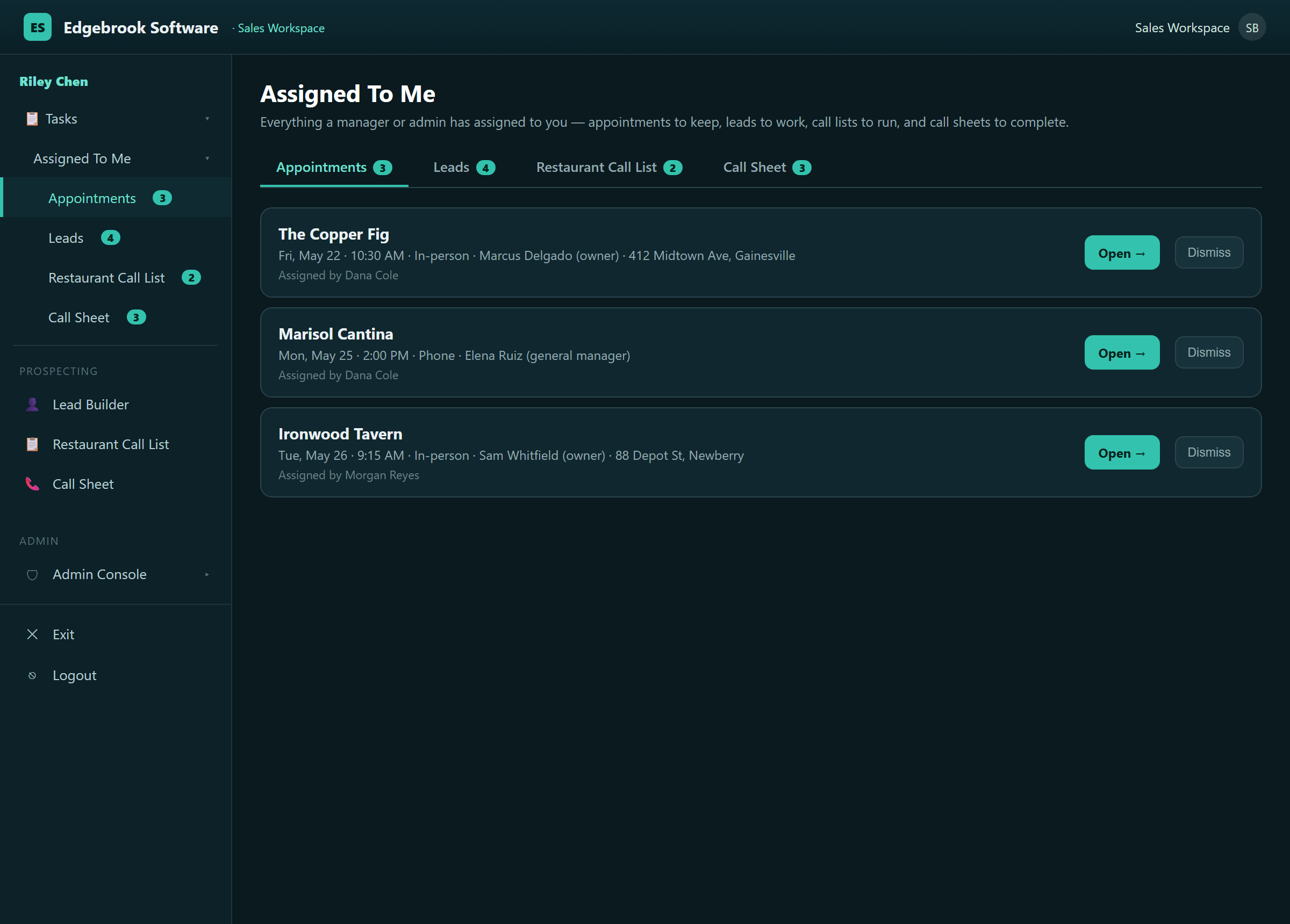
Read the Call Sheet guide →The moment two people share a pipeline, the question stops being “who do I call?” and becomes “who’s doing what?” Assigned To Me answers it: managers assign the work, and every rep opens the app to exactly what’s theirs — appointments to keep, leads to work, lists to run, and call sheets to finish. Nothing falls through the cracks.

Each card below is clickable — open it for a short guide to that screen.
The meetings you’re expected to keep — date, time, who to ask for, and the address, one tap from the full briefing.
Read the guide →A curated handful a manager wants you on — the right accounts, not a whole county.
Read the guide →A whole list handed off to run, with live progress so you pick up a campaign mid-stream.
Read the guide →A single lead flagged for follow-up — its history and next action already in front of you.
Read the guide →Every Call Sheet carries two one-tap briefings — one for the cold call, one for the booked meeting. Both are generated automatically from the same public-record profile, so a rep never walks into a conversation unprepared.

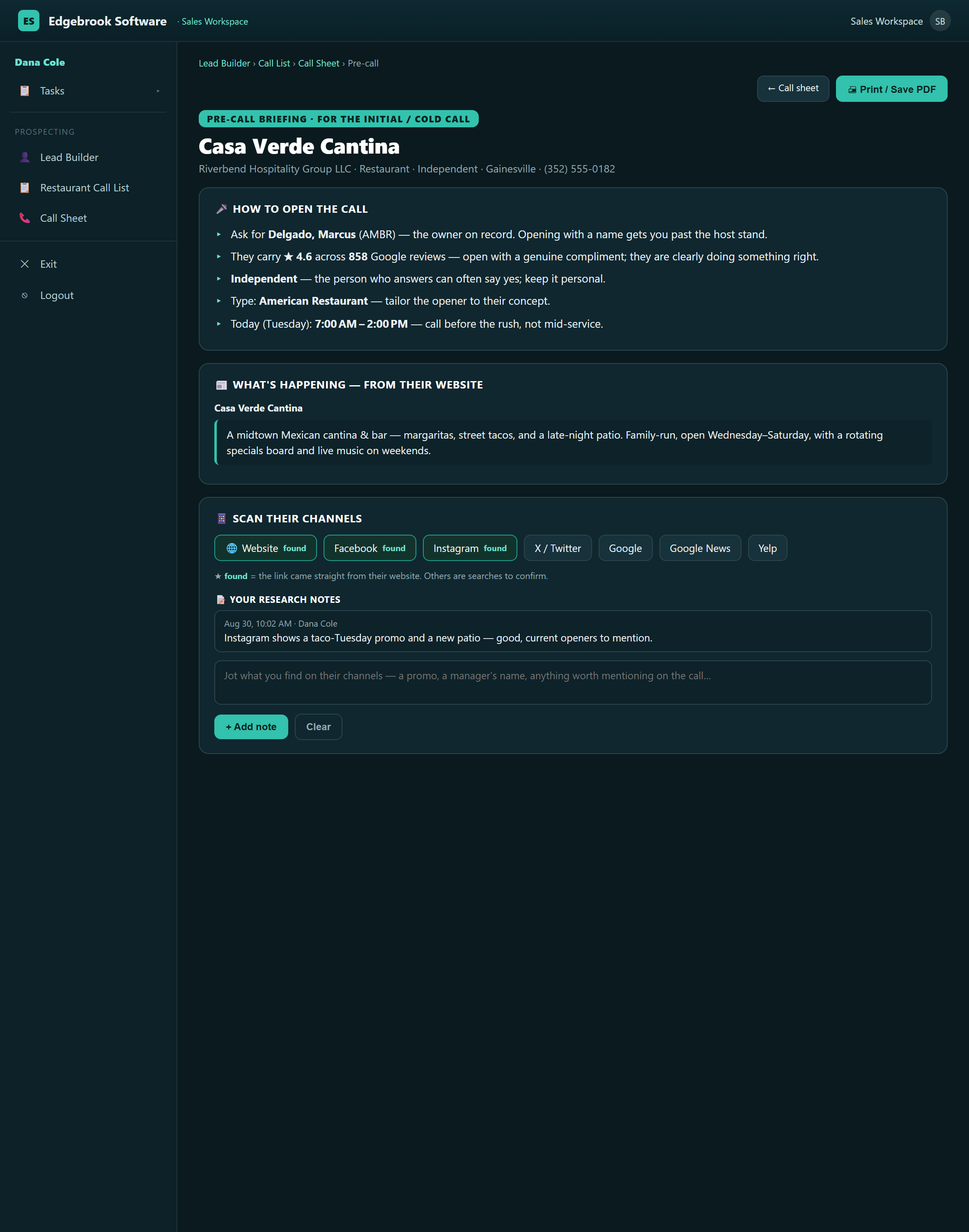
Built the moment before you dial — the prospect’s own website read for a natural opener, recent events and mentions, any socials we could find, and honest “nothing found” notes so you know what’s real.

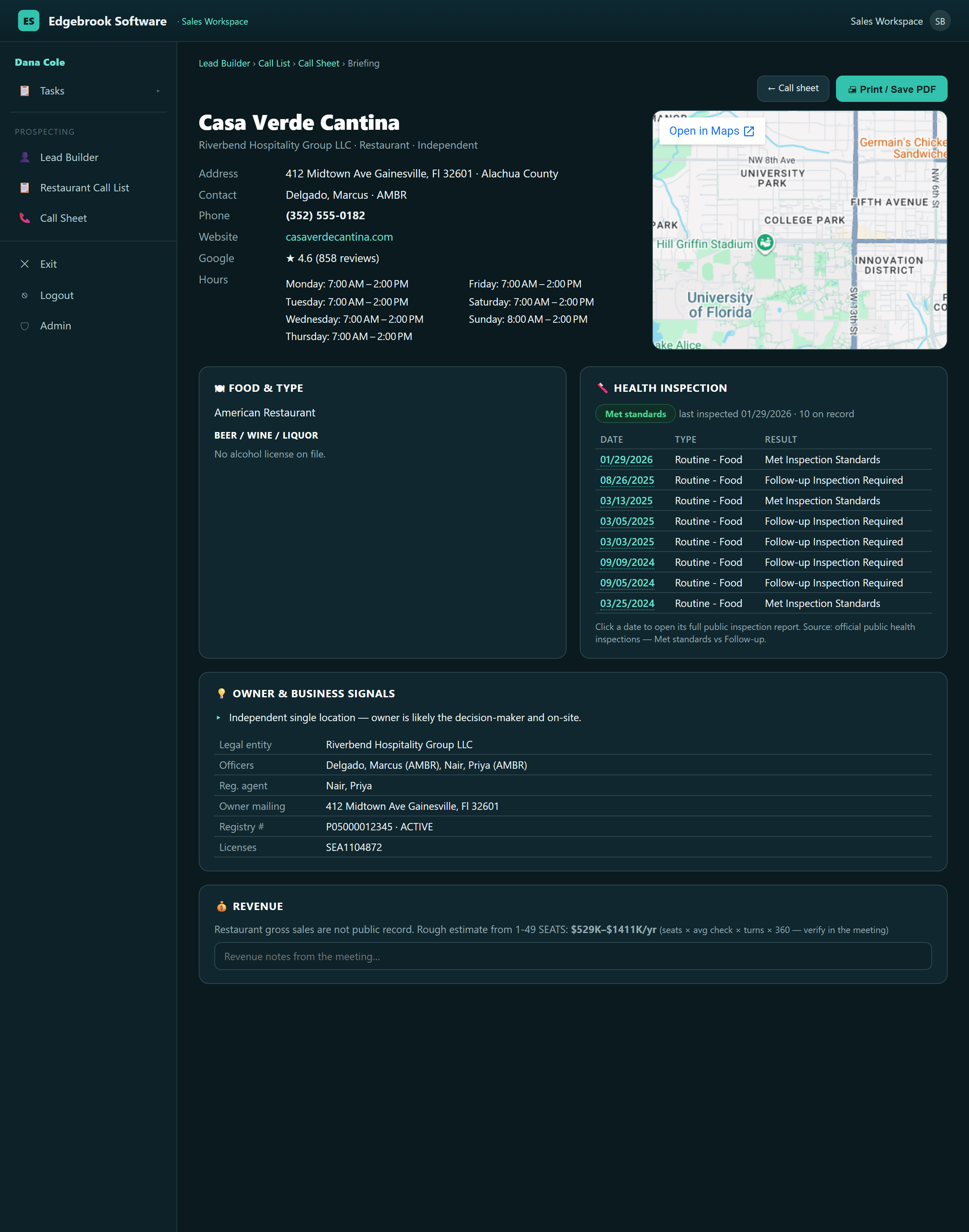
A printable one-pager you walk in with — the business, the owner and officers to ask for by name, today’s hours, health & license standing, a map to the door, and ready-made talking points.
The same clean, ready-to-call list, built market by market — across the United States and into Canada. Every region is a worked list of prospective bars & restaurants, ready to call.
💡 Select any market to preview it. Each Details link opens a quick, honest read of what’s built there today — a brief look before a state or province is fully worked — so you can decide whether to point us at leads in that area next. The links below are live.
Everything a rep does happens on three screens — everything a manager does happens in the Admin Console. It’s the owner’s control room, admin-only: add your people and set what each can do, hand out the day’s work, watch what’s converting, and decide where to sell next — all on the same live data your reps work in.

Each card below is clickable — open it for a short guide to that screen.
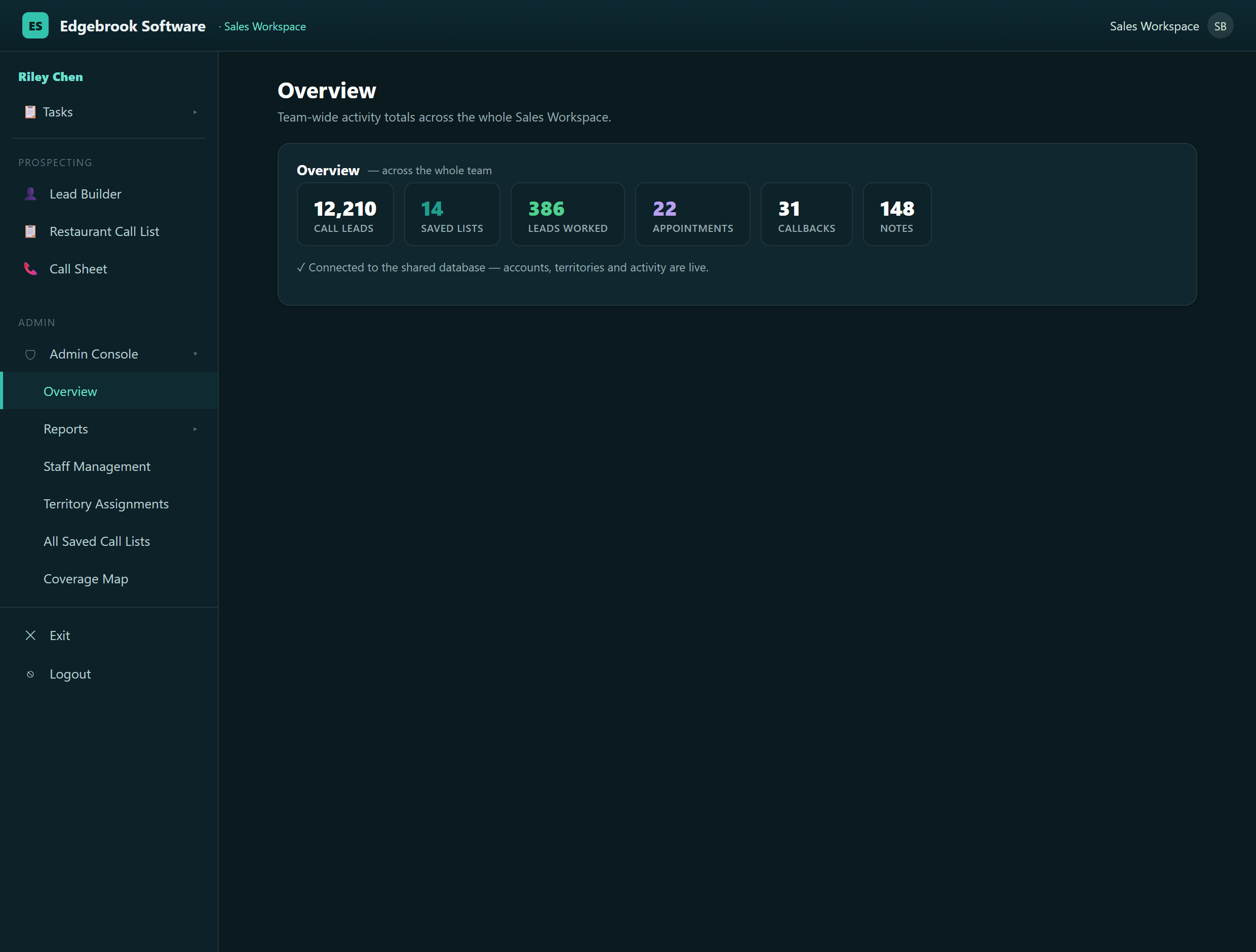
The whole team on one line — call leads, saved lists, leads worked, appointments, callbacks, notes. Live, no report to compile.
Read the guide →Status Report (who’s meeting whom, and when) and Activity Report (calls, appointments and conversion, per rep). Filter and export.
Read the guide →Add reps, set roles, reset passwords, set a recovery question, remove access — your whole team in one table.
Read the guide →Give each rep a home patch — state, counties, cities — and their call list opens there by default.
Read the guide →The team’s library — every campaign, its owner, size and progress, in one view.
Read the guide →Where a clean list can be built next — U.S. and international, market by market — so you plan before you build.
Read the guide →